
Your whole day, in one place.
Email filed to the right trip, a calendar clients can book, tasks that raise themselves, notes from every call, and Alveno AI beside you on every screen.
Everything between the trips, handled.
Your own inbox, with every conversation filed to its trip and client.
- ✦Replies filed to the trip automatically
- ✦Reply in place, save drafts, send later
- ✦Draft with AI, from the trip and the thread
Calendar
Your meetings, trips, payments due, birthdays and tasks in one calendar, by month, week or day.
- ✦A booking page clients use to book you
- ✦Reminders sent for you
- ✦Subscribe from any calendar app
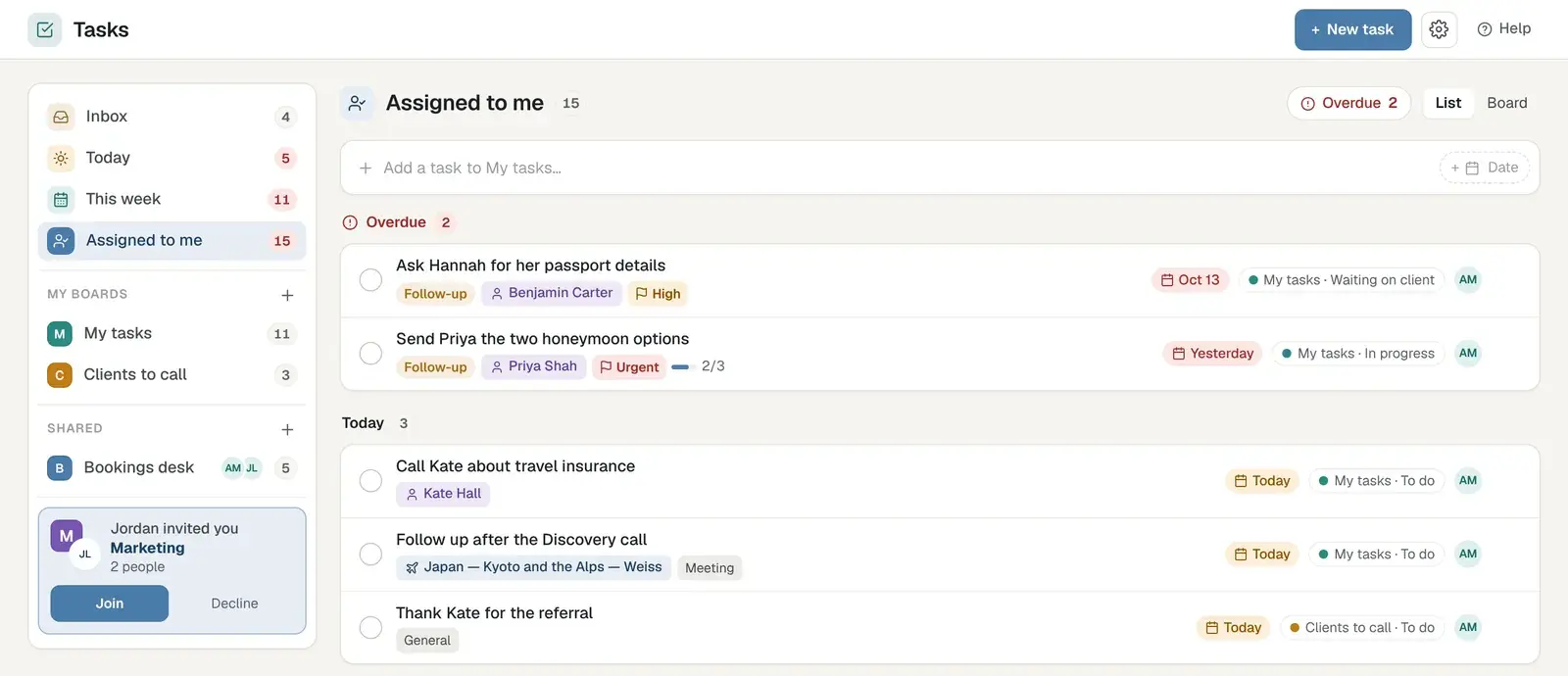
Tasks
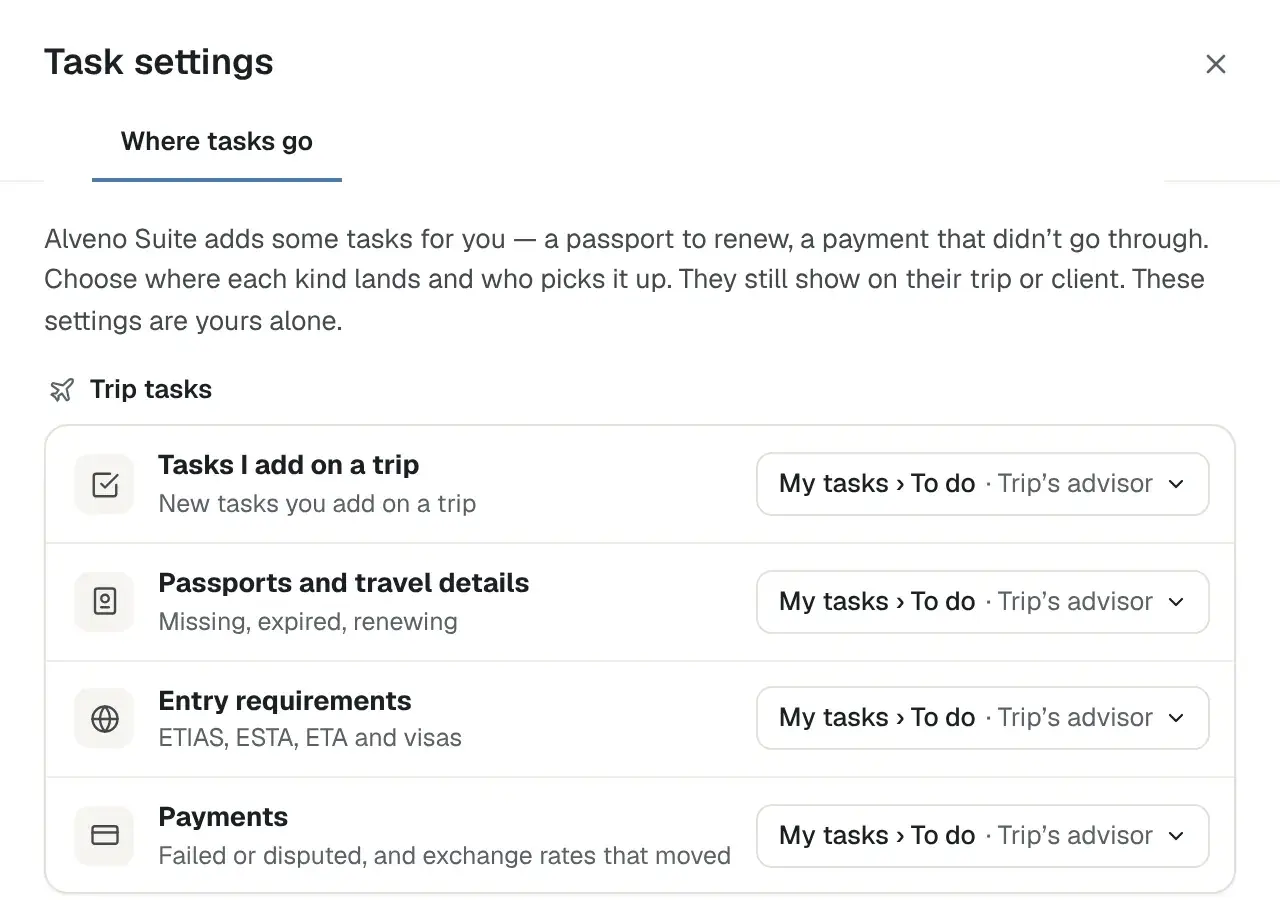
What's due, by trip and client, raised for you on the right day.
- ✦Final payments, documents and check-ins
- ✦Assigned to the right person
- ✦One list across every trip
Notebook
Call and meeting notes, kept with the people and trips they're about. The Notebook app for Mac and Windows helps you take notes in meetings and out of them, without a bot ever joining the call.
- ✦A desktop app for Mac and Windows; nothing joins your meeting
- ✦Find anything again with #tags
- ✦AI tidies a call into what was agreed and what's next
Alveno
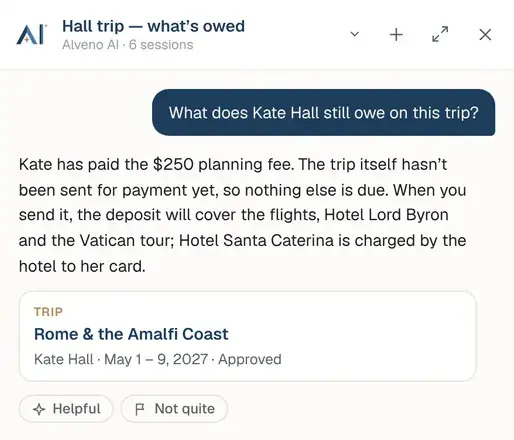
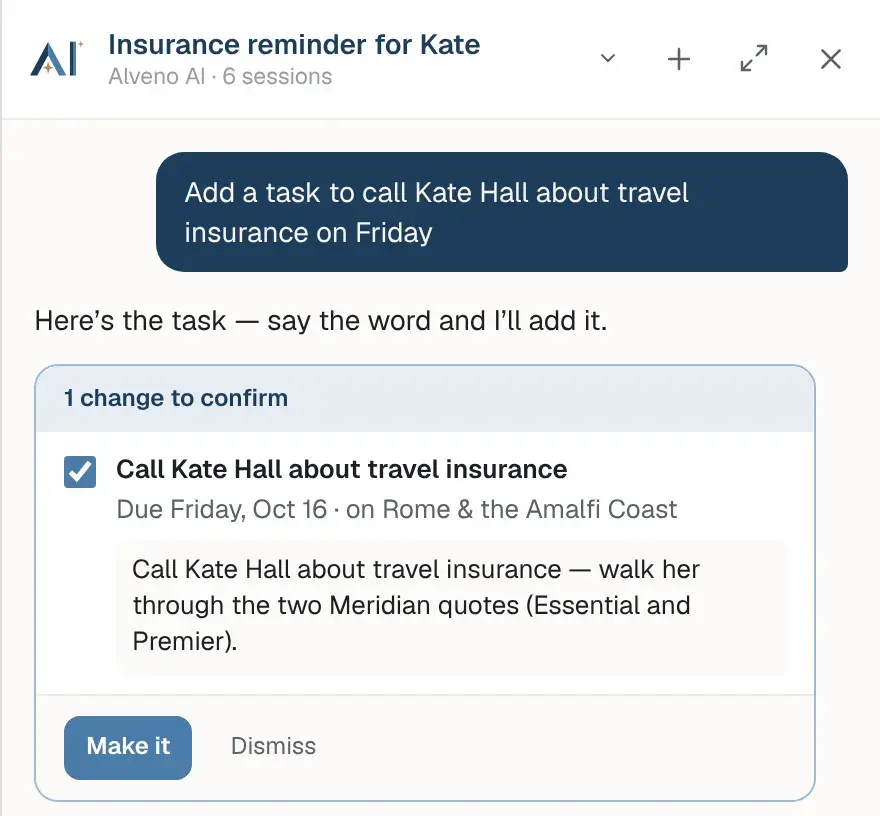
Ask anything about your book, on any screen or on its own page.
- ✦Find a booking by its confirmation number
- ✦Research a destination before a consultation
- ✦Nothing changes until you confirm
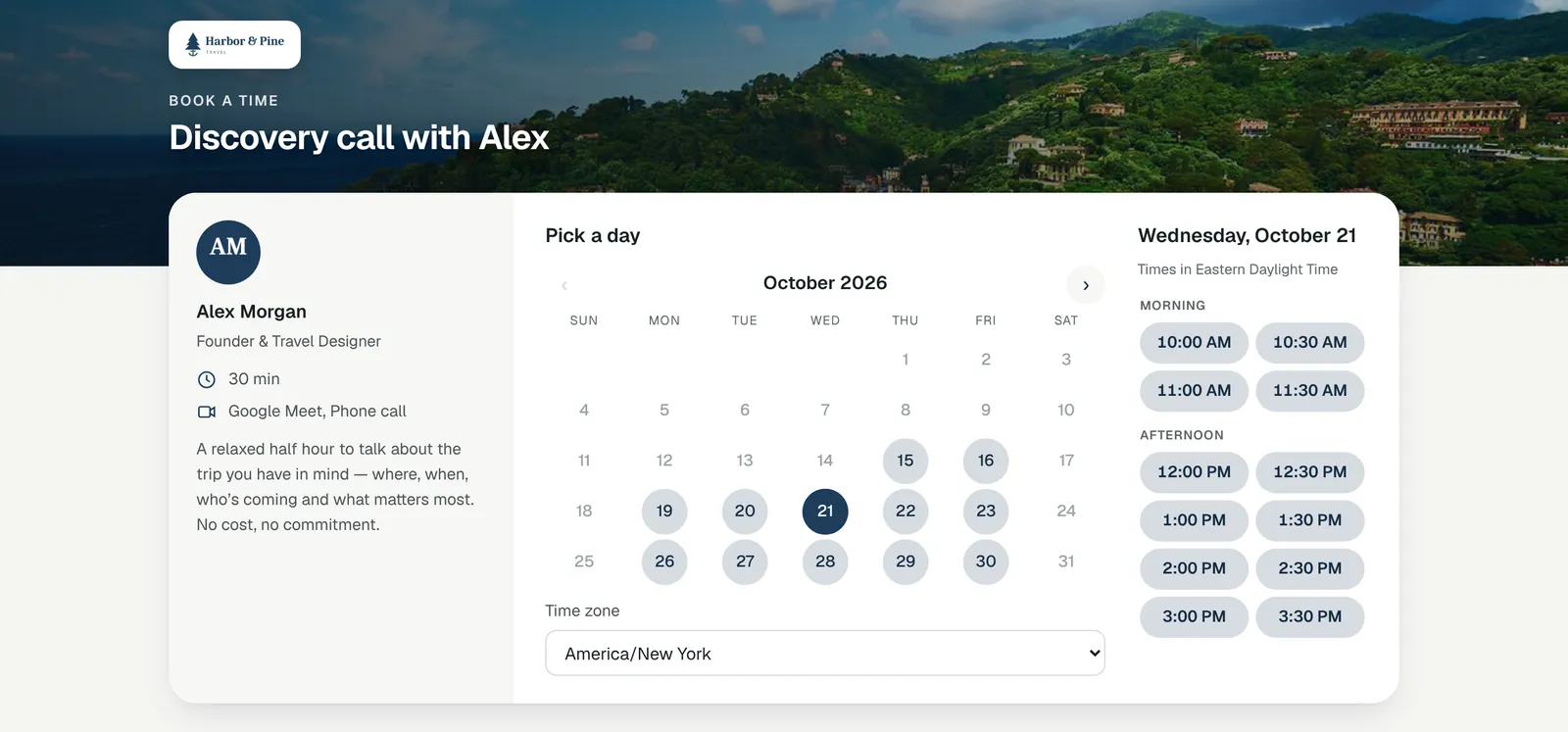
Clients book the call. It lands on your calendar.
Your own booking page, on your agency's web address and in your brand. Clients pick a time you're really free, and it goes straight onto your Google or Microsoft calendar with a Meet or Teams link.
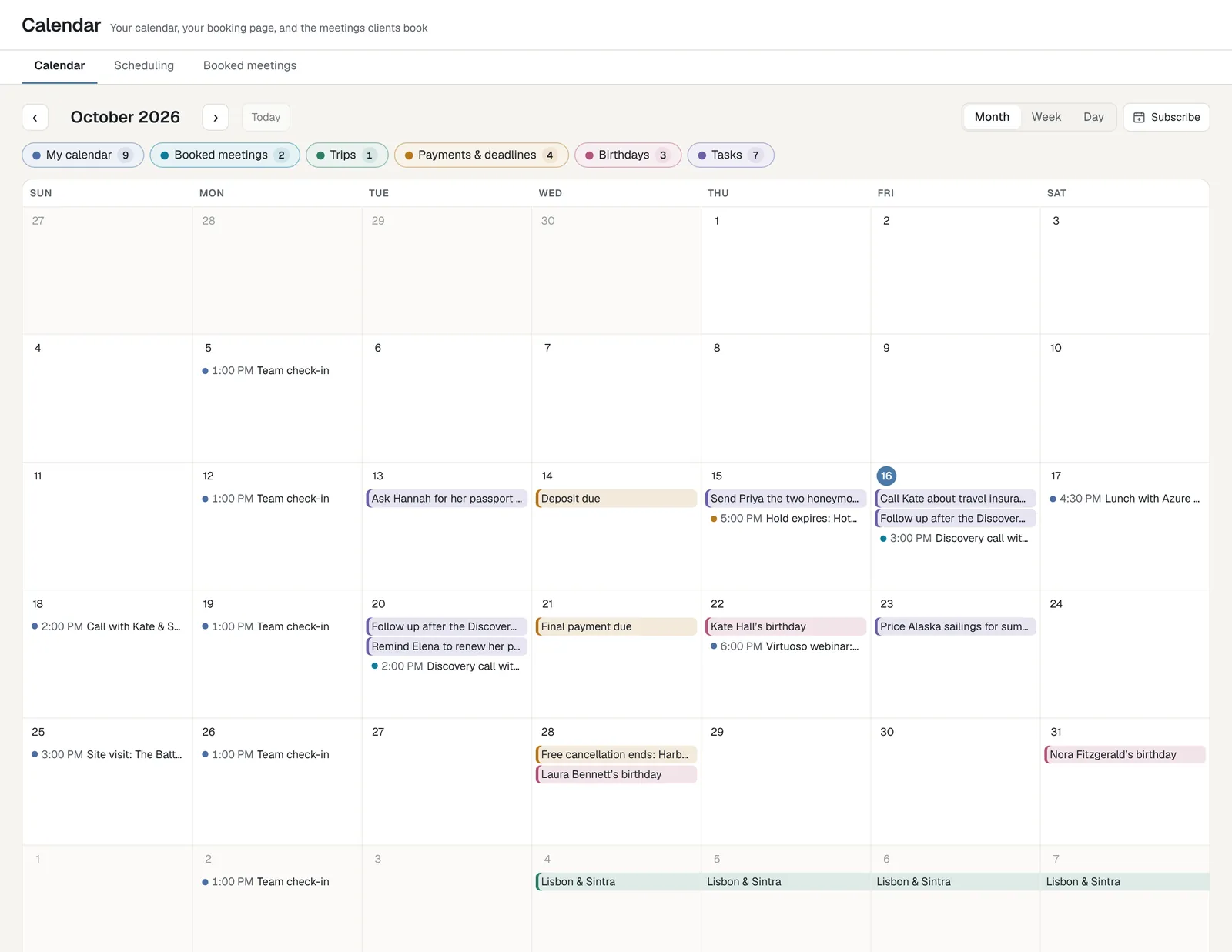
And your whole month, in one place.
Your own calendar beside the meetings clients booked, trips, payments and deadlines, birthdays and tasks. Switch each on or off, see the month, week or day, and subscribe from Google, Outlook or Apple Calendar.
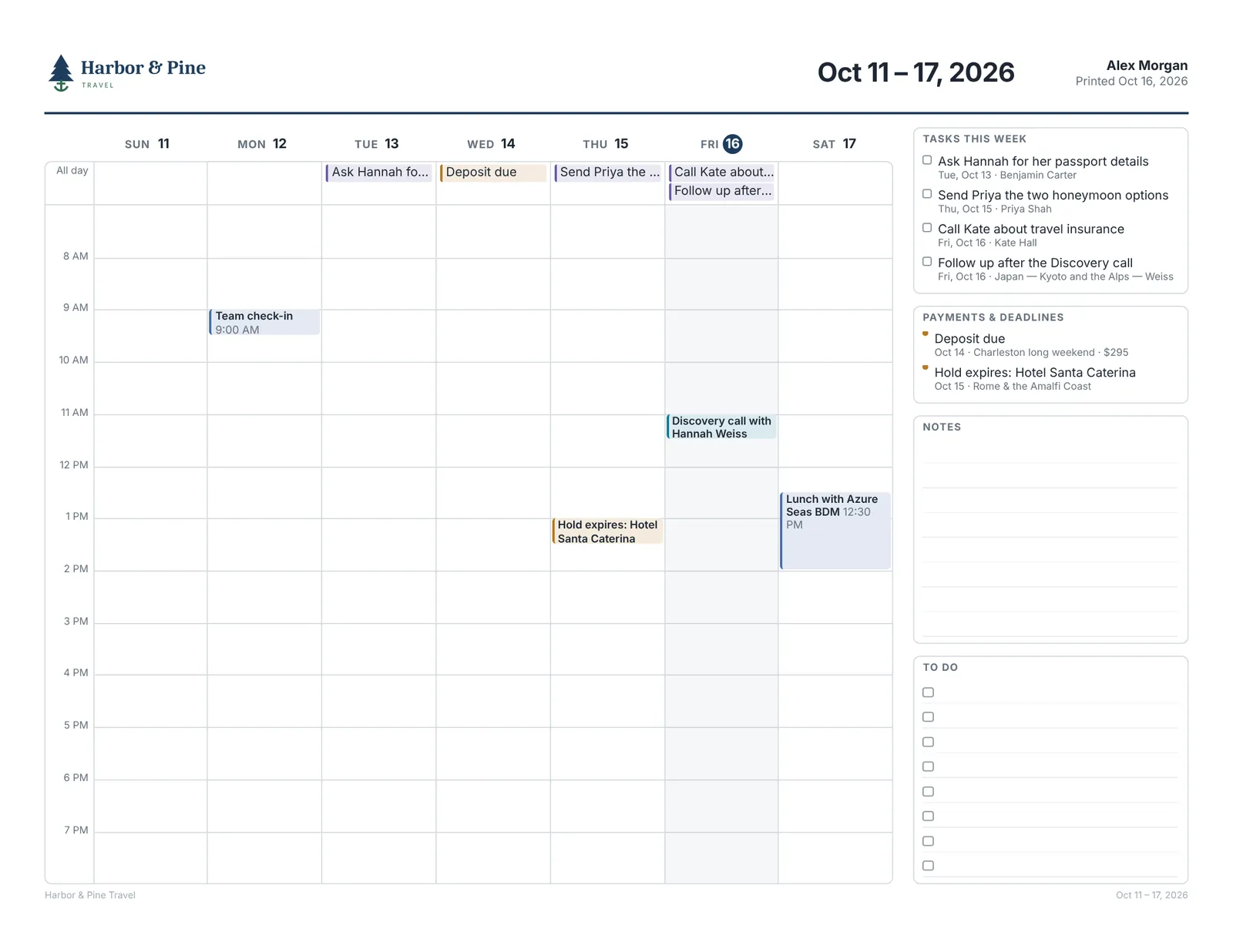
And for those who like paper.
Print planner turns the month, week or day on screen into a one-page planner with your agency's logo: the week's tasks with anything overdue, the payments and deadlines coming, and room for notes and to-dos. Laid out for your paper, Letter or A4.
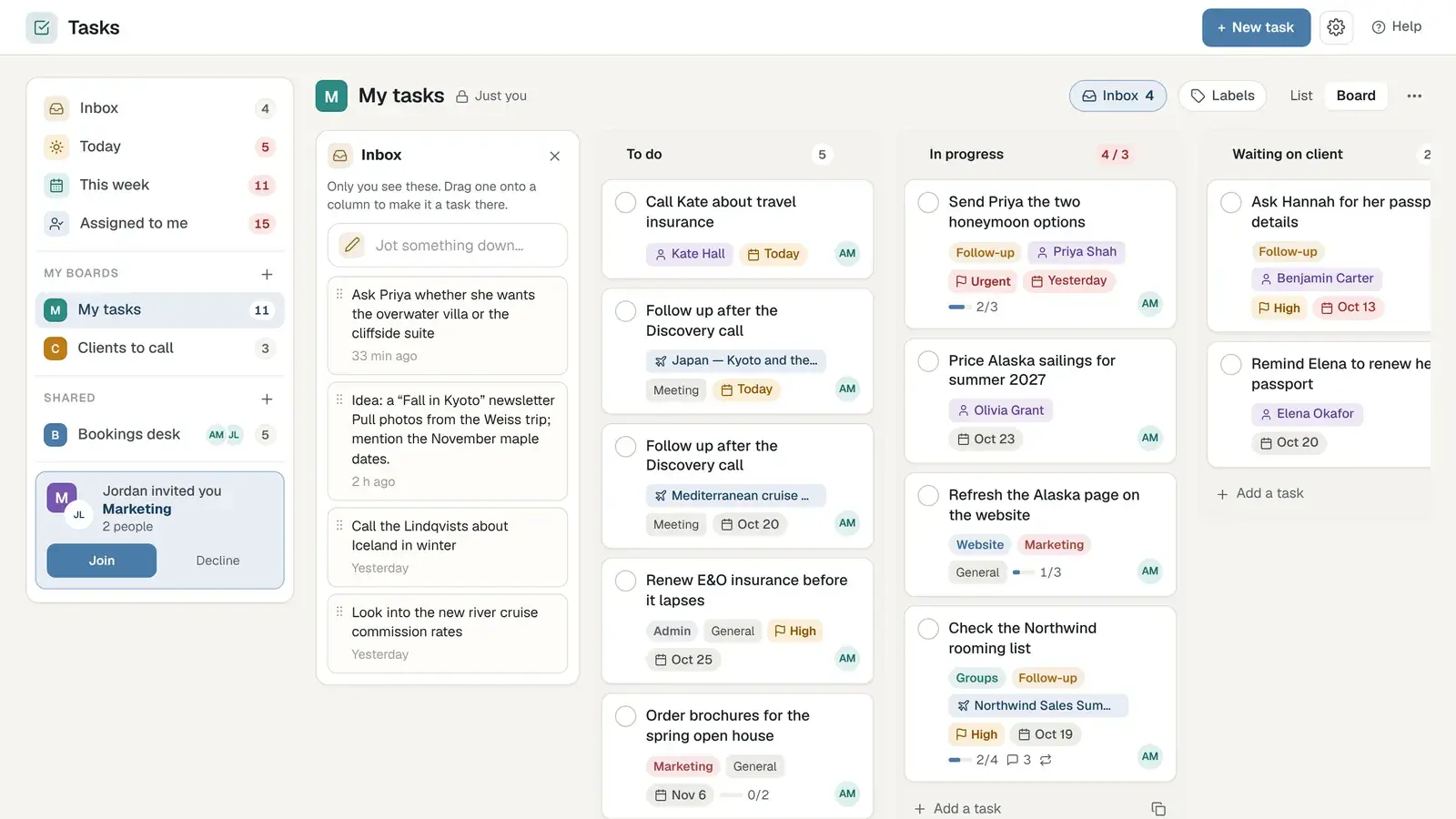
Tasks that work the way you do.
Every task lives on its trip or client and on the board where you want it. Work from cards or a list, keep your own boards private, and share the ones your team works on together.
Less admin. More time with travelers.
Everything that happens after the yes lives beside the trip, so nothing slips and nobody keeps a second spreadsheet.
Beautiful templates for proposals, payment reminders, final documents and welcome-home notes, sent from your own address with your logo and colors. Write once, and every advisor sends it the same polished way.
- Sent from your domain, not ours
- The trip's details filled in for you
- Replies filed to the trip automatically
Help on every screen. Press ⌘J and ask.
Alveno AI looks across your trips, clients, payments, commission, tasks and email, and drafts what comes next. It suggests; you decide. And your agency's data is never used to train AI models.
- ✦Look up any trip or booking
- ✦Get ready for a consultation
- ✦Draft an email in your voice
- ✦See what's due this week
Workspace is one of four.
Trips and proposals, clients, partners, your Atlas and forms.
Social posts, one inbox for every network, and email campaigns.
Commission, reports on how you're doing, and the agency's settings.
Get your evenings back. Save your agency a place.
Workspace is in every plan. Join the waitlist and we'll be in touch when there's room for your agency.
Join the waitlist